st_intersects(a, b)
## Sparse geometry binary predicate list of length 1, where the predicate
## was `intersects'
## 1: 1sf objects are data frames with a geometry columnTRUE/FALSE) about two objectssfsf provides many: st_intersects(), st_disjoint(), st_touches(), st_crosses(), …st_covers(x, y) → TRUE if no points of x are outside yst_touches(x, y) → TRUE if geometries share boundary points but interiors don’t intersectst_disjoint: no shared points
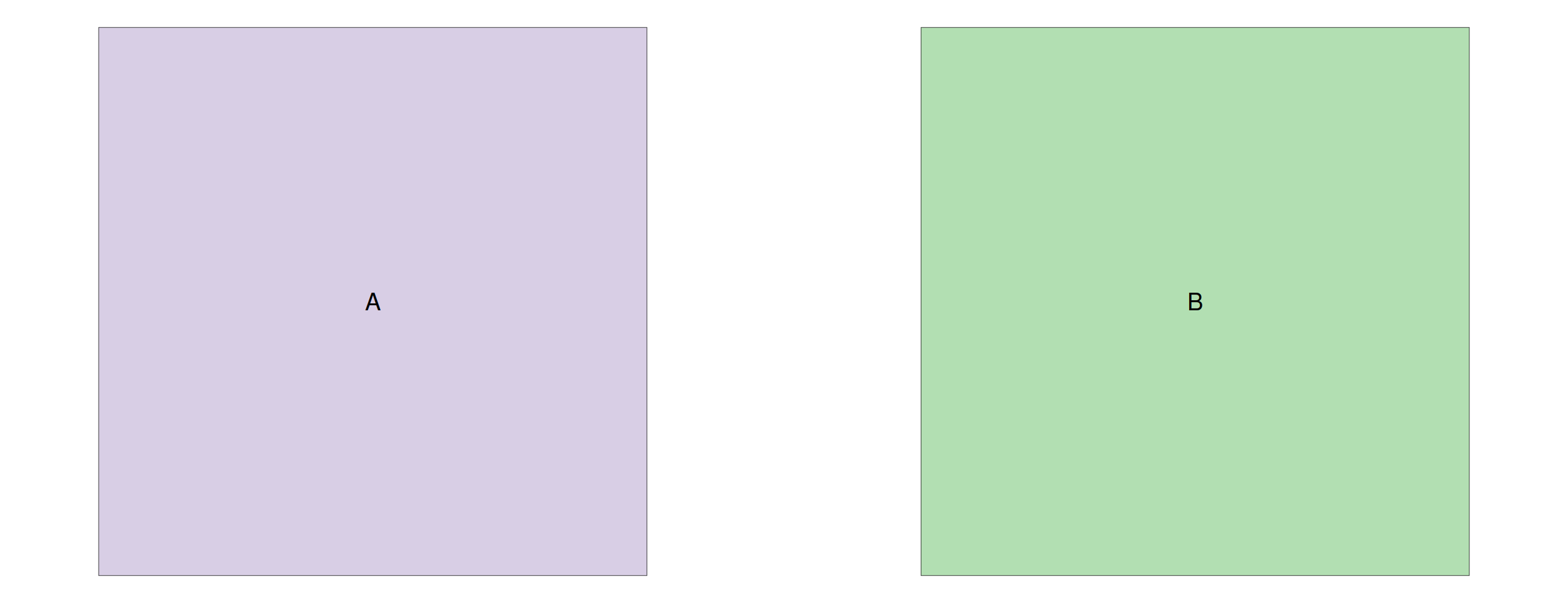
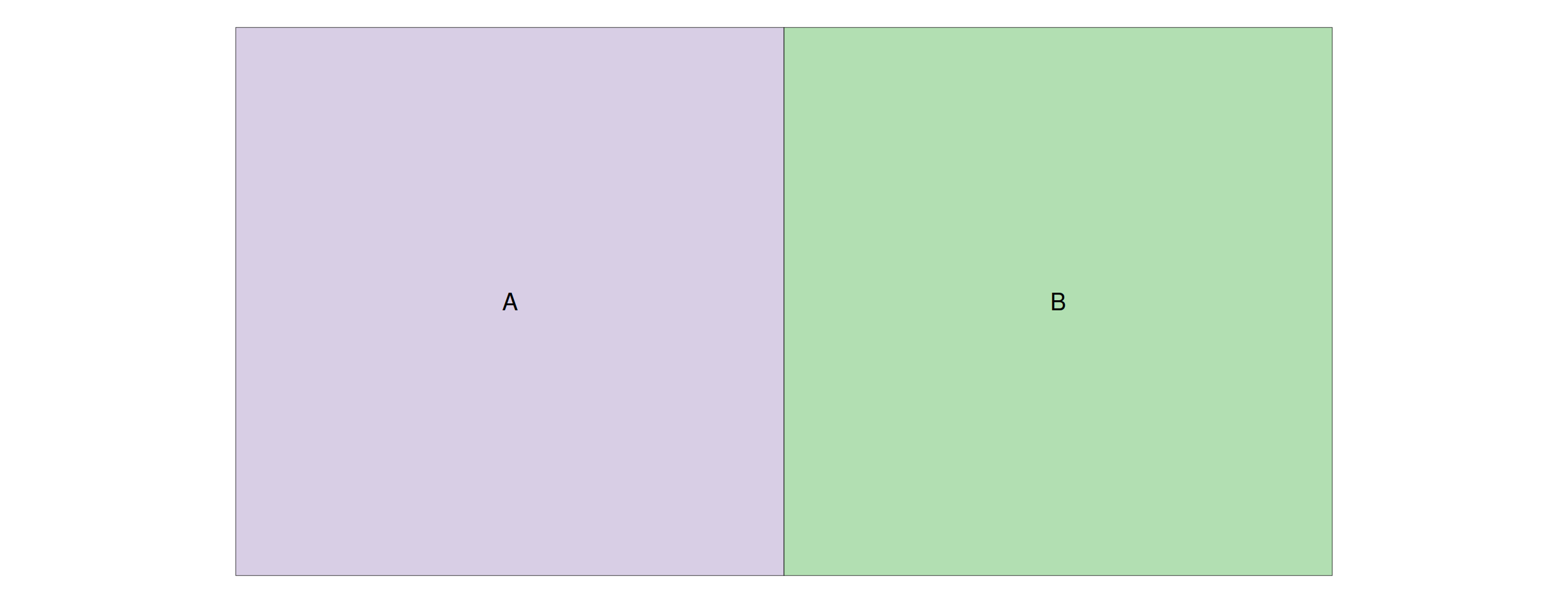
st_touches: shared boundary only
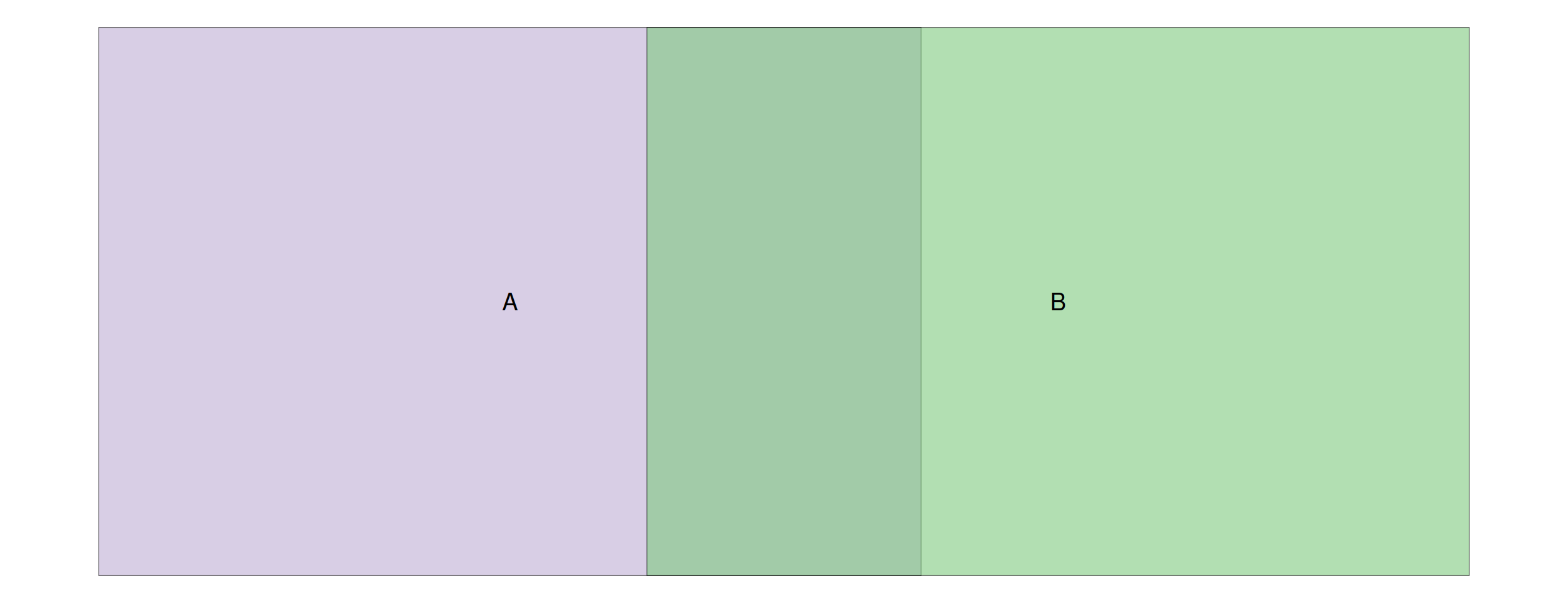
st_intersects: any shared points (here with overlap)
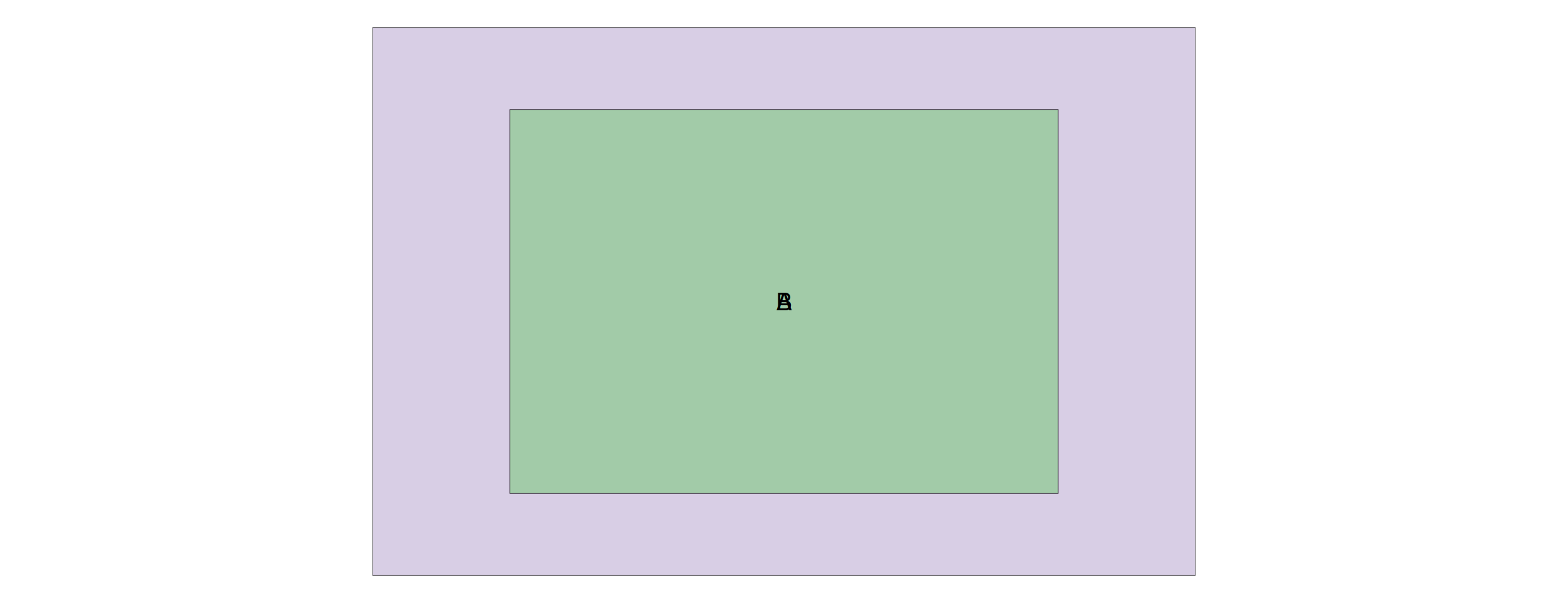
st_contains: B entirely within A
st_touches(x, y) = st_touches(y, x)st_contains(x, y) ≠ st_contains(y, x)st_is_within_distance() needs a dist argument?geos_binary_predDon’t confuse predicates with operations!
st_intersects): “Do these geometries intersect?” → returns TRUE/FALSEst_intersection): “Give me the geometry where they overlap” → returns a new geometryThe same naming pattern applies to other pairs: st_difference (operation) has no corresponding predicate, while st_touches (predicate) has no corresponding operation.
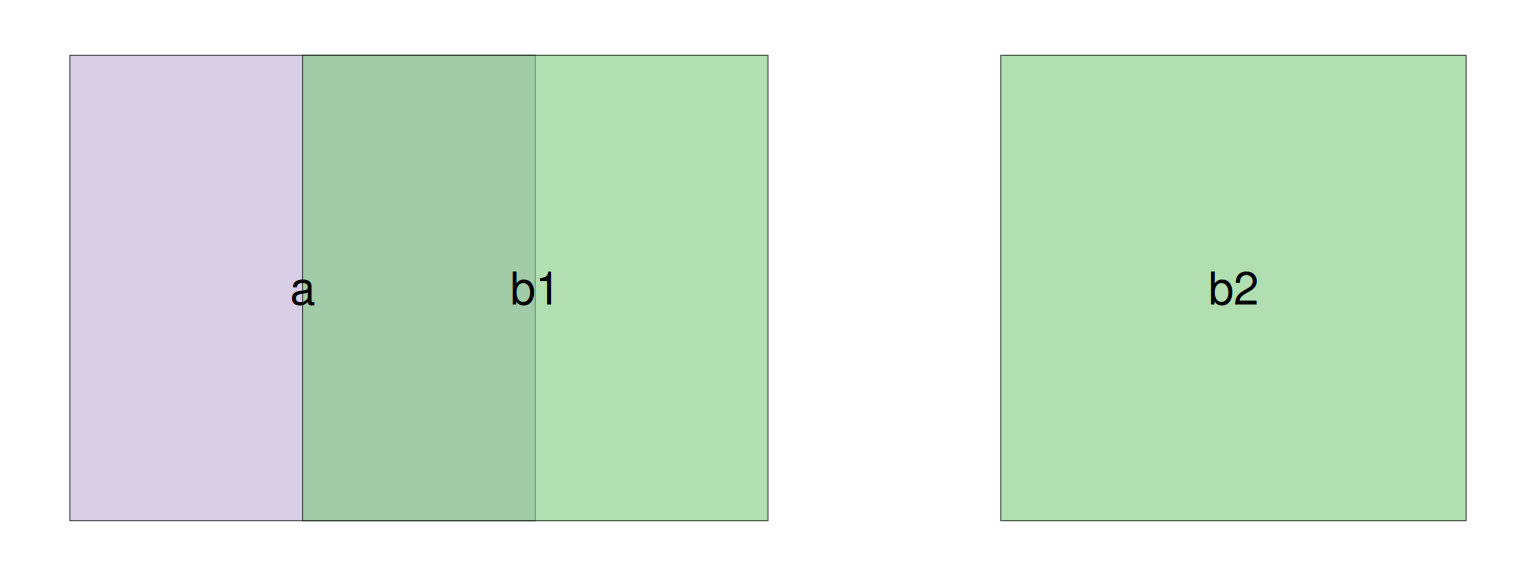
Figure 2: Polygon a (purple) overlaps b1 but is disjoint from b2
st_intersects(x, y) does not return a simple TRUE/FALSE vectorsgbp) — a list of matching indiceslengths() counts the number of matches per featuresparse = FALSE to get a dense logical matrix insteadNow that we know how predicates work, let’s use them to subset and join spatial data.
st_intersectsSame thing, more readable with st_filter():
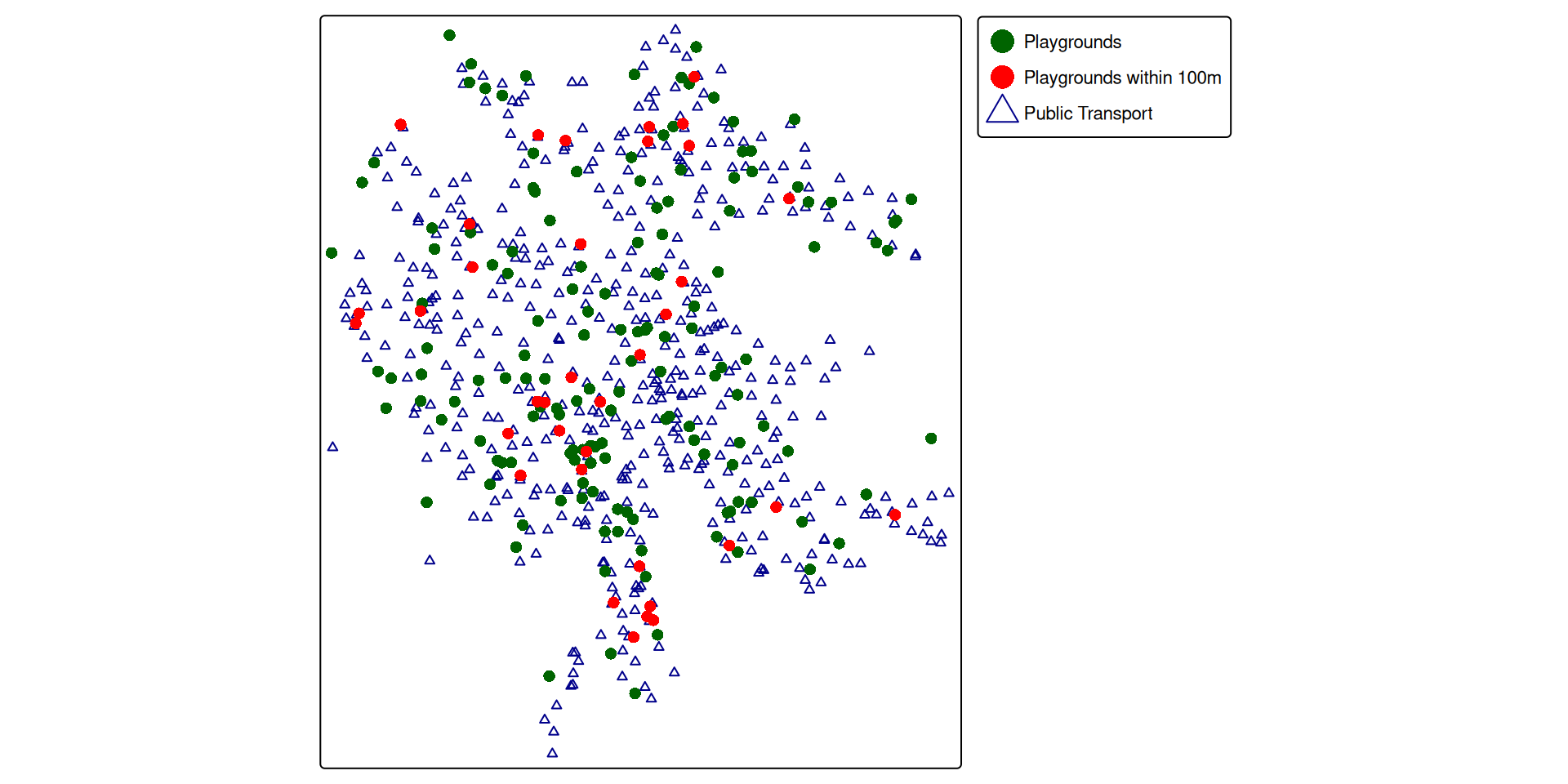
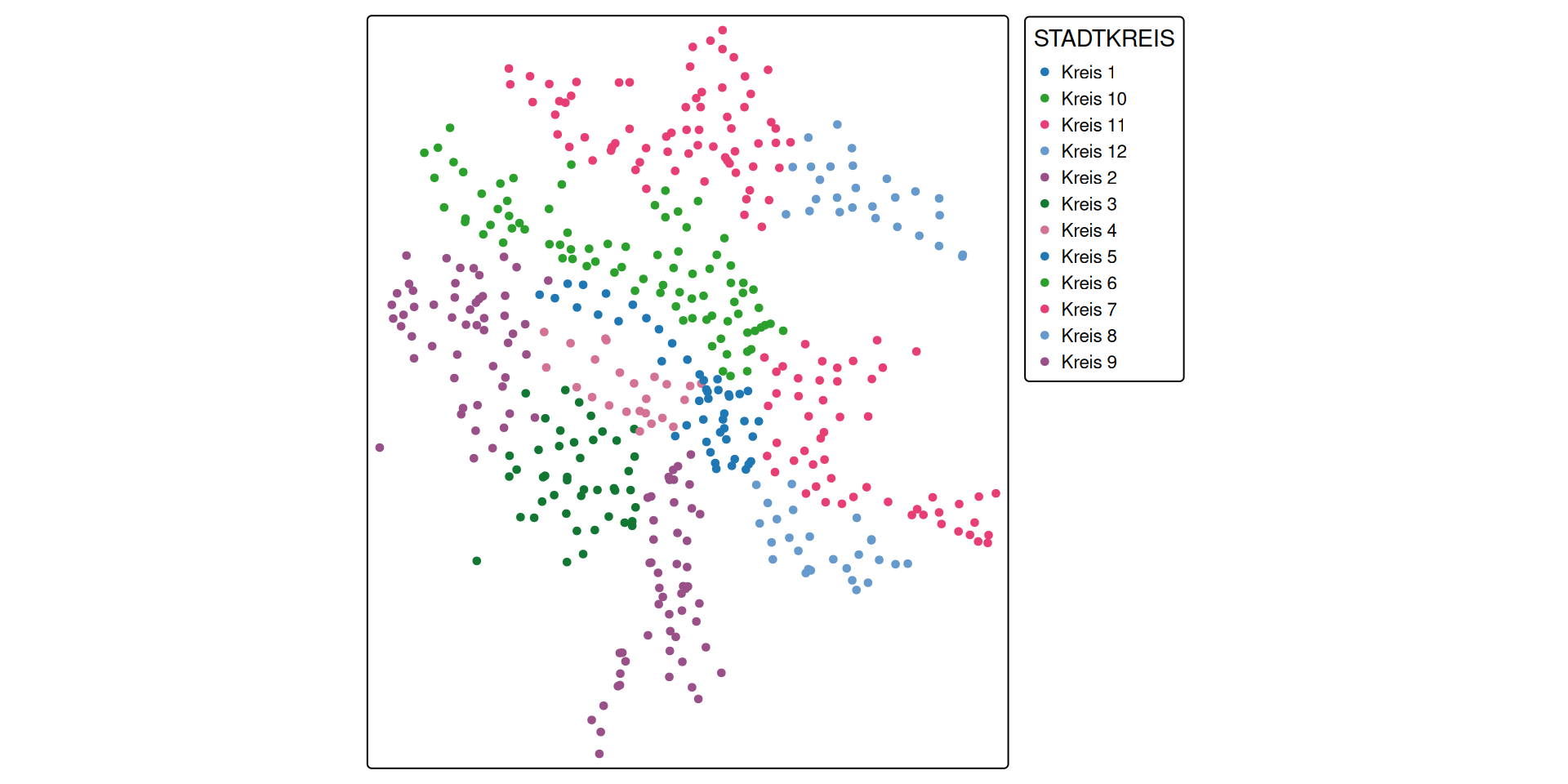
Figure 3: Note that the playgrounds within 100m of public transport (red dots) are a subset of all the playgrounds
Subsetting filters features — what if we want to transfer attributes instead?
st_join(x, y): for each feature in x, find matching features in y and attach their columnsSimple feature collection with 184 features and 2 fields
Geometry type: POINT
Dimension: XY
Bounding box: xmin: 2677632 ymin: 1242927 xmax: 2687639 ymax: 1253914
Projected CRS: CH1903+ / LV95
# A tibble: 184 × 3
name geom CHSTNAME
* <chr> <POINT [m]> <chr>
1 Buchenweg (2685485 1245793) Zürich, Burgwies
2 Buchlern Sportanlage (2678406 1248303) Zürich, Friedho…
3 Mobile Spielanimation PAZMobile Spielanim… (2682898 1244212) Zürich, Rote Fa…
4 Alfred-Altherr-Terrasse (2684082 1249963) Zürich, Langens…
5 Auf der Egg (2682672 1243867) Zürich, Kalchbü…
6 Belvoirpark (2682665 1245835) Zürich, Brunaus…
7 Josefswiese (2681846 1248909) Zürich, Schiffb…
8 Gertrudplatz (2681431 1247583) Zürich, Locherg…
9 Wahlenpark (2683172 1252246) Zürich, Max-Bil…
10 Rote Fabrik (2683004 1244150) Zürich, Rote Fa…
# ℹ 174 more rows
playgrounds_join has the same rows as playgrounds + extra column CHSTNAME
Simple feature collection with 186 features and 2 fields
Geometry type: POINT
Dimension: XY
Bounding box: xmin: 2677632 ymin: 1242927 xmax: 2687639 ymax: 1253914
Projected CRS: CH1903+ / LV95
# A tibble: 186 × 3
name geom CHSTNAME
* <chr> <POINT [m]> <chr>
1 Buchenweg (2685485 1245793) <NA>
2 Buchlern Sportanlage (2678406 1248303) <NA>
3 Mobile Spielanimation PAZMobile Spielanim… (2682898 1244212) Zürich, Rote Fa…
4 Alfred-Altherr-Terrasse (2684082 1249963) <NA>
5 Auf der Egg (2682672 1243867) Zürich, Kalchbü…
6 Belvoirpark (2682665 1245835) <NA>
7 Josefswiese (2681846 1248909) <NA>
8 Gertrudplatz (2681431 1247583) <NA>
9 Wahlenpark (2683172 1252246) <NA>
10 Rote Fabrik (2683004 1244150) Zürich, Rote Fa…
# ℹ 176 more rows
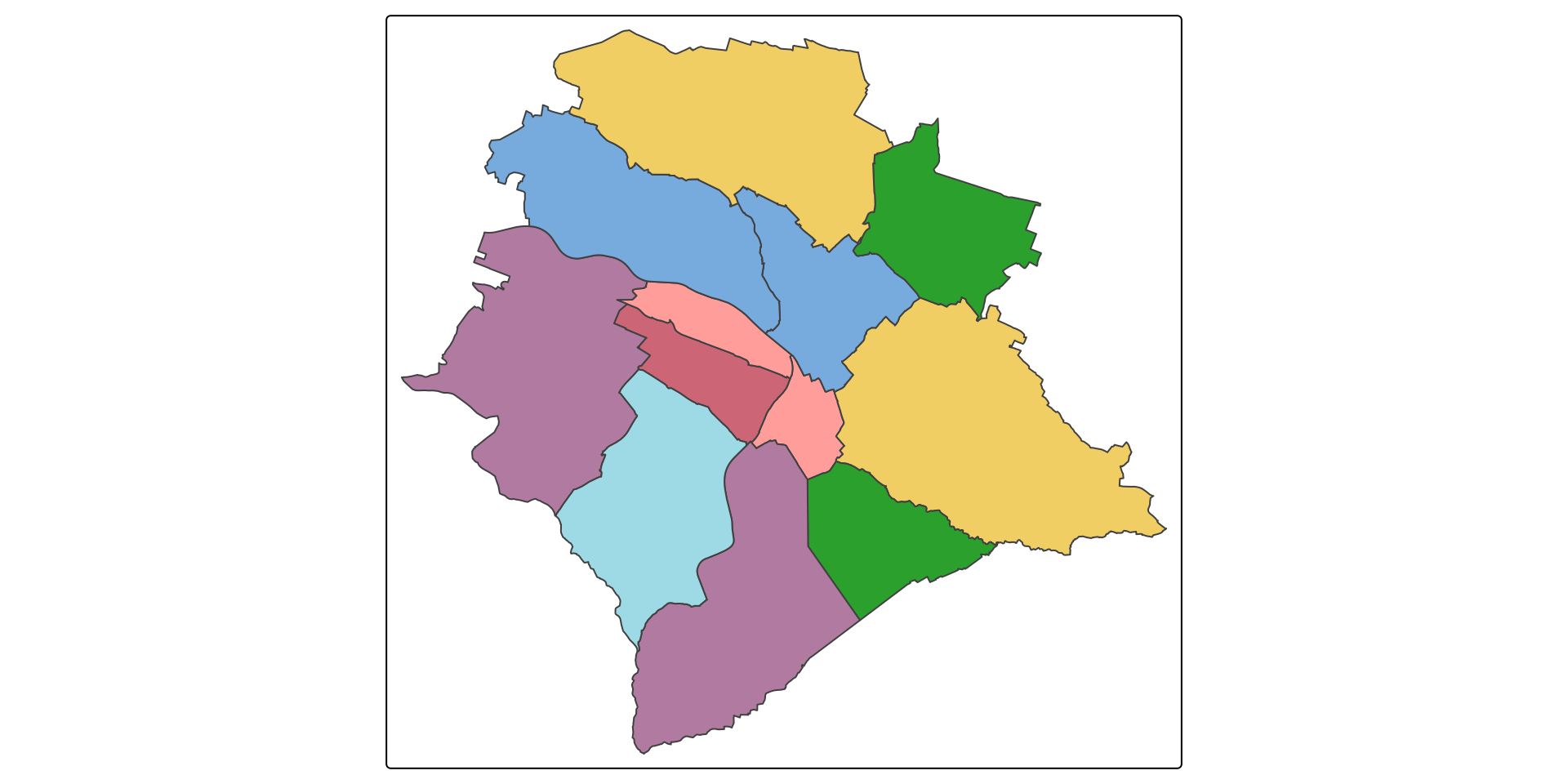
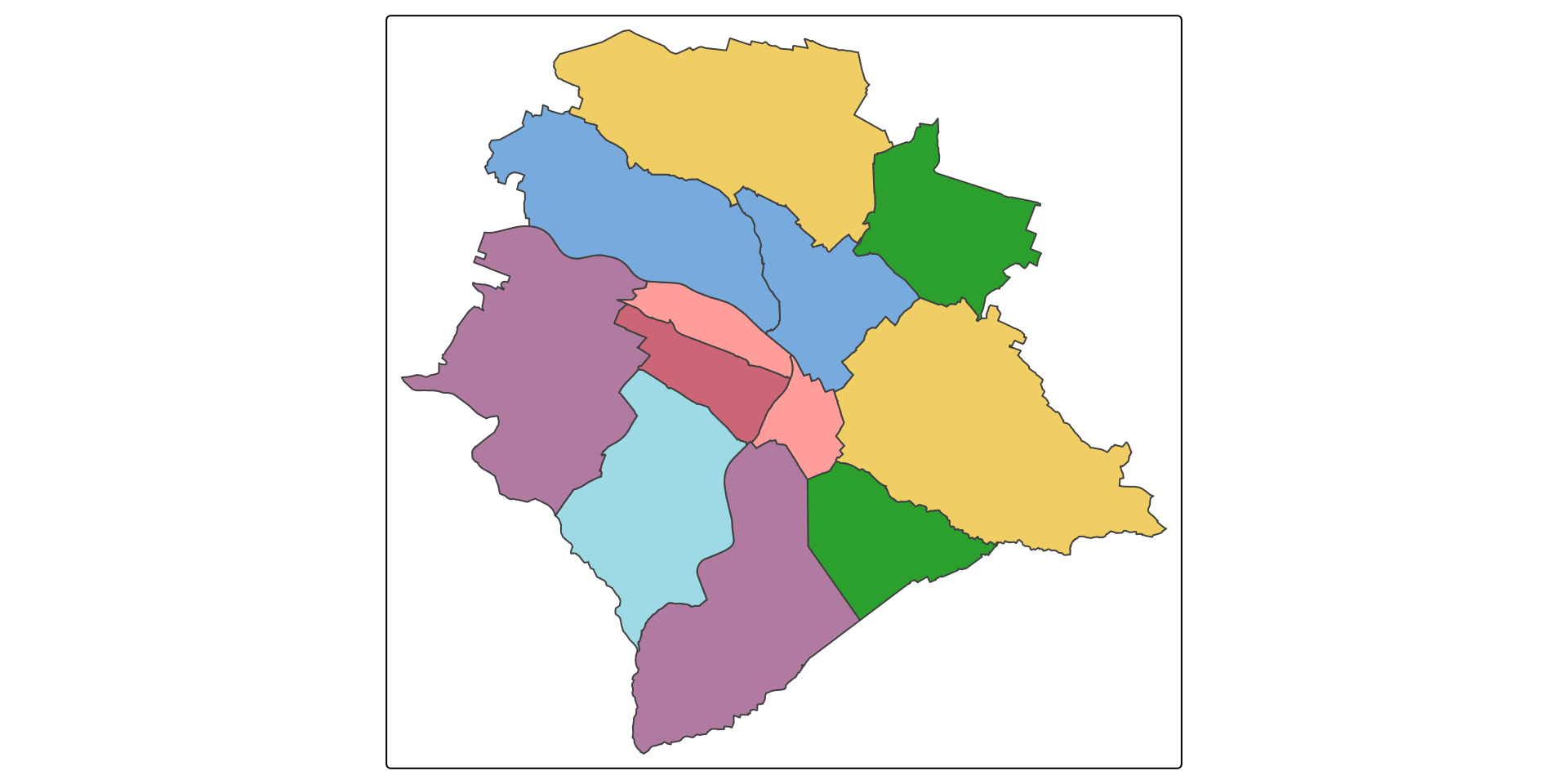
st_join = left join by defaultstadtkreis gets duplicated for every intersecting pointkreise with 12 features
kreise_join with 477 features
| Task | Function | Key arguments |
|---|---|---|
| Test a relationship | st_intersects(), st_covers(), … |
sparse = FALSE for logical matrix |
| Subset by predicate | x[y, ] or st_filter() |
op / .predicate, dist |
| Join by predicate | st_join(x, y) |
join, left = TRUE |
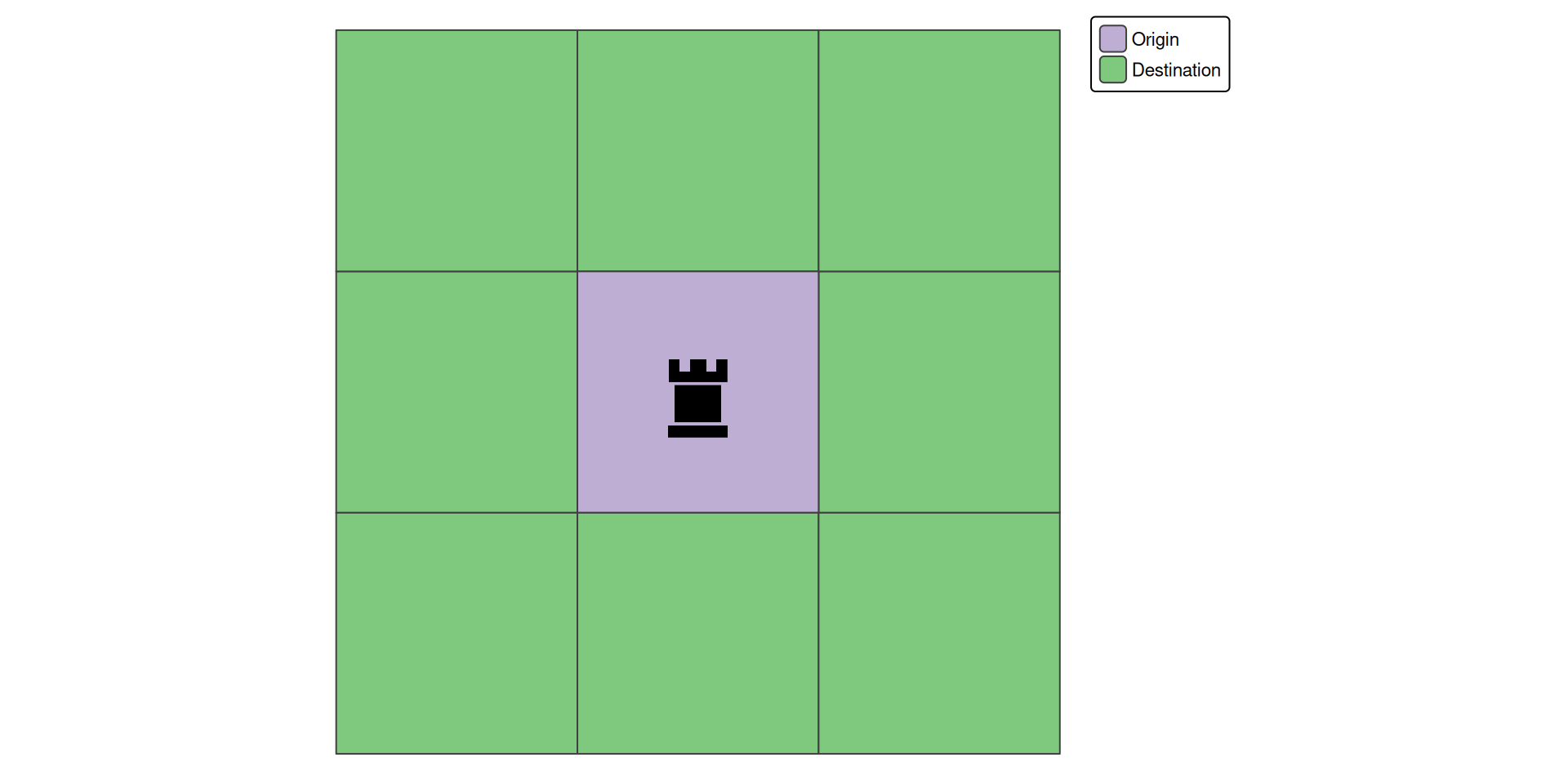
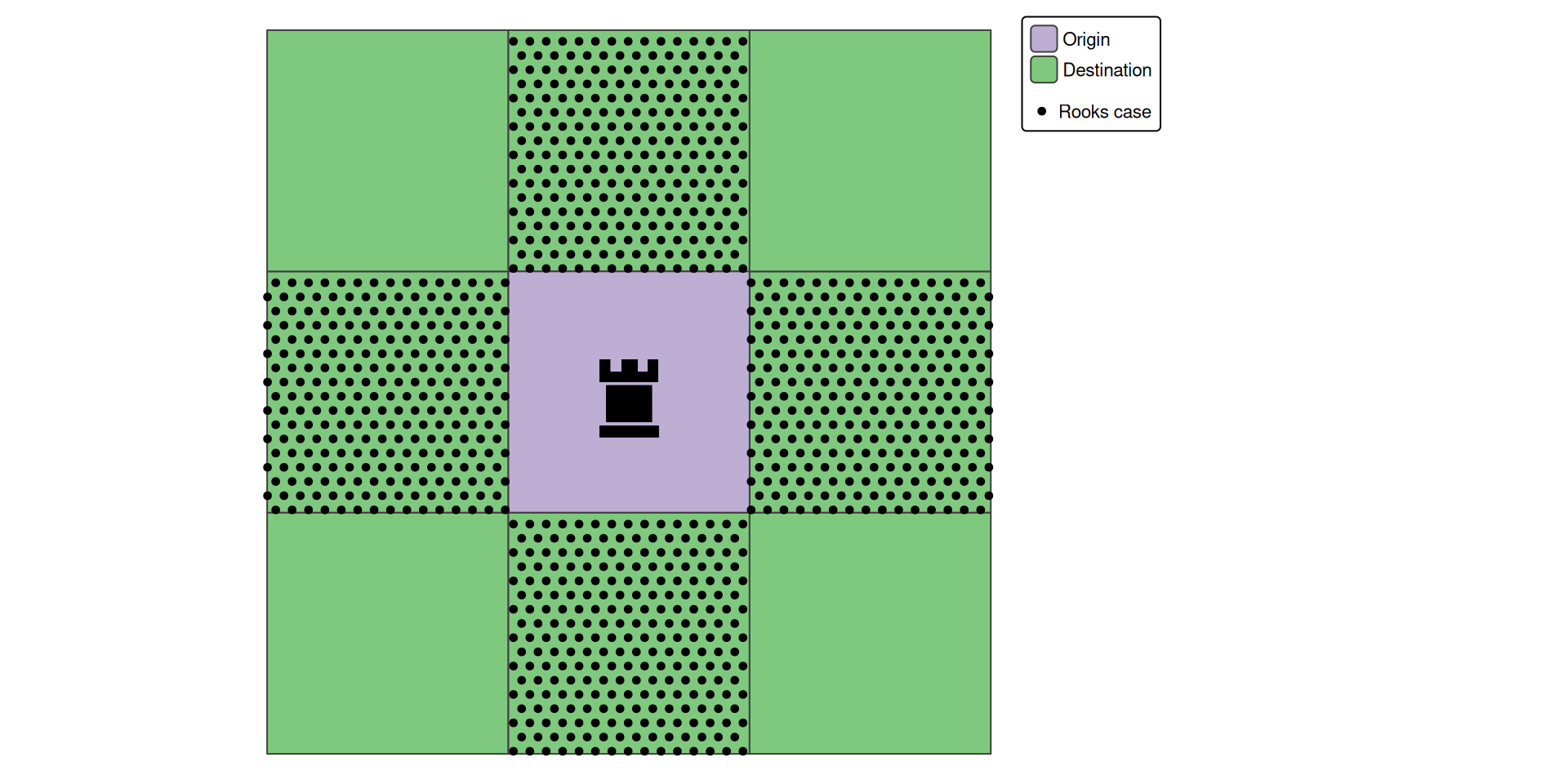
st_intersectsst_covers over st_contains for point-in-polygonst_touches won’t work — it also matches diagonal neighbours (shared point)Figure 5: A 3x3 chessboard with a rook in the center field (origin). Which fields can the rook reach, if the constraint is that the destination field need to share an edge with the origin?
| Interior (B) | Boundary (B) | Exterior (B) | |
|---|---|---|---|
| Interior (A) | |||
| Boundary (A) | |||
| Exterior (A) |
F***1****
| Interior | Boundary | Exterior | |
|---|---|---|---|
| Interior | F | * | * |
| Boundary | * | 1 | * |
| Exterior | * | * | * |
F (no overlap)1 (shared edge = a line, not just a point)* (don’t care)F***1****| Predicate | DE-9IM pattern(s) |
|---|---|
st_intersects |
T********, *T*******, ***T*****, ****T**** (any non-empty intersection) |
st_touches |
FT*******, F**T*****, F***T**** |
st_contains |
T*****FF* |
st_within |
T*F**F*** |
st_contains and st_within are mirror images (swap rows ↔︎ columns)* = wildcard, matches F, 0, 1, or 2Create a custom st_rook function and use it like any named predicate:
Figure 6: The chessboard situation with the potential fields for the rook highlighted with a red outline

st_intersects, st_covers, …) cover most use cases for subsetting and joiningst_relate)st_contains vs st_covers (boundary matters!)sparse = FALSE if needed)